
WhatsApp or phone: which support channel is 24/7
People search for an Apollo Group TV customer service phone number that works 24/7. The exact answer is that the 24/7 channel is WhatsApp. The phone line is real and takes support calls, but no hours are published for it, so this page does not promise it at 3 a.m.
| Channel | Number | Hours | Best for |
|---|---|---|---|
| WhatsApp (message) | +1 (307) 424-2402 | 24/7 | Everything: setup, faults, logins, renewals, payments, refunds |
| Phone (call) | +1 (254) 989-5701 | Not published | Talking a problem through by voice |
WhatsApp has one practical advantage beyond the hours: it is where your login, payment and refund records already sit, so support can see the history of your line in the same chat. Both numbers are on our Apollo Group TV contact details, which is the page to check against if a chat ever looks unfamiliar.
What to send for a fast fix
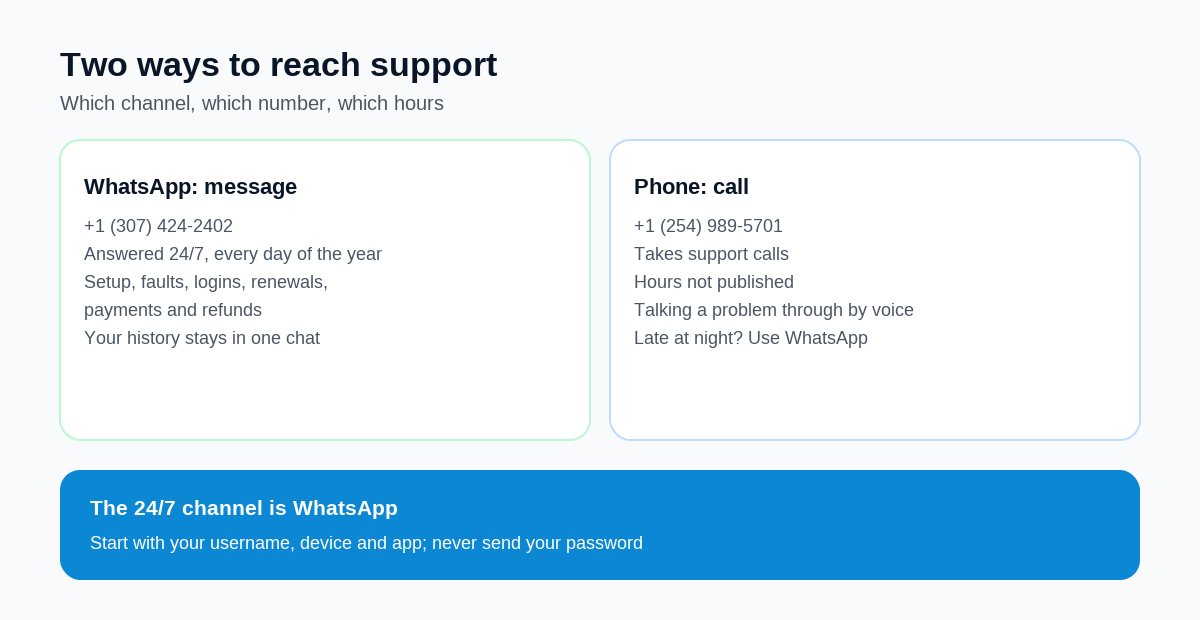
The first message decides how many messages a fix takes. Send these five things and support can usually go straight to the answer:
- Your username. Never send your password; support does not need it.
- The device and the player app, for example a Samsung TV with IPTV Smarters.
- What you see: the exact wording of any message on screen, or a photo of it.
- Whether it affects every channel or named ones, and since when.
- What you have already tried, such as restarting the router or testing on a phone over mobile data.
For a fault, a two-minute test first often answers the question before you send it. The six fault checks tell you whether the problem is the service, your account, your device or your network. If the app says connection timeout, start with our connection timeout fixes.
Setup help by device
Apollo Group TV support helps set up every device that runs an IPTV player app. For some devices the app support uses is fixed:
| Device | What support does |
|---|---|
| iPhone and iPad | Support sets you up in Smarters Player Lite and logs you in with the Xtream Codes login (server URL, username, password). |
| Apple TV | Support logs you in to Smarters Player Lite with the Xtream Codes login. |
| Samsung TV | Support sets you up in IPTV Smarters with the Xtream Codes login. |
| Roku | Roku works by screen mirroring only; there is no Roku app. |
| Fire TV, Android TV and others | Setup support covers every device that runs an IPTV player app; say which device and app you have. |
To try it yourself first, the Apollo Group TV setup guide covers each device step by step, and support can pick up from wherever you got stuck. On Roku, the IPTV on Roku guide explains screen mirroring.
Logins, renewals and payments
- Your login. After payment, the server URL, username and password are sent on WhatsApp within 5–15 minutes. There is no web portal, so a lost password is resent in the same chat. The Apollo Group TV login and portal guide shows where each value goes.
- Renewals. Plans are prepaid and never renew by themselves. You renew in the same chat and keep the same login; our guide to Apollo Group TV renewal has the steps.
- Payments. Visa, Mastercard, Google Pay or Apple Pay, arranged in the chat; no other method is taken. See how each payment method works.
Questions to ask support before you buy
Support is not only for customers. Before you pay, the same chat answers the questions that decide whether the service suits you:
- Will it work on my device? Name the TV, stick or box and the app you would use; support helps set up every device that runs an IPTV player app.
- Can I try it first? Yes: the free 24-hour trial needs no credit card, works on one screen at a time, and is counted from your first connection. There is one trial per customer, so start it when you have time to test.
- Which plan fits? Say how many TVs watch at once and for how long you want the service; plans come for 1 to 4 devices.
During the trial, check the channels you watch by name; our guide to the Apollo TV channel list shows how to search it.
Refunds: the 7-day money-back guarantee
There is a 7-day money-back guarantee on your first plan: if a service problem you report on WhatsApp within 7 days of payment cannot be fixed, you get a full refund. Device faults, app setup and slow home internet are not covered, and the guarantee does not apply after day 7 or to later purchases such as renewals. Refunds are requested on WhatsApp, in the same chat.
Report the problem as soon as you see it, with the five details above, so there is time to try a fix within the 7 days. The full terms are in the Apollo Group TV refund policy.
When a fix does not work
Say so in the same chat rather than starting a new one, so the history stays together. Tell support what happened after you tried the fix, on which device, and at what time. A screenshot or a photo of the screen saves a round of questions.
Two habits help. Change one thing at a time, so you know which change made the difference. And test on a second device over mobile data: if it plays there, the service is up and the fault is in your home setup, which tells support where to look next.
Check you are talking to the real support
Look-alike sites and chats use similar names. Real support asks for your username, never your password, and never for a full card number, PIN or one-time passcode typed as a chat message. If a chat or a call asks for those, stop, and check the number against our contact page before you go on.
Customer service questions, answered
Is Apollo Group TV customer service available 24/7?
Yes, on WhatsApp: support answers 24/7 at +1 (307) 424-2402, every day of the year. The phone line takes support calls too, but its hours are not published, so use WhatsApp when it is late or a holiday.
Can I talk to a live person?
Yes. Support on WhatsApp is personal: a person reads and answers your messages in the chat. You can also call the support line. Either way, start with your username, device and app so the first answer can be a fix.
Is there live chat on the website?
No. There is no chat window or web account on this site; WhatsApp is the chat. The WhatsApp buttons on this site open the chat with a message ready to send.
Where to go next
For the service as a whole, read the Apollo Group TV review. For questions before you buy, the Apollo Group TV FAQ covers trials, plans and devices, and the free 24-hour trial needs no credit card.
Updated
Before you buy
What to know about Apollo Group TV
- Prepaid, no auto-renewalYou renew only when you choose to. Nothing is charged automatically.
- Support 24/7Every day, day and night. A person answers on WhatsApp, before and after you buy.
- Familiar ways to payVisa, Mastercard, Google Pay or Apple Pay.
- Terms in writingRead the refund policy and terms of service before you pay.
Try it before you pay
A free 24-hour trial lets you test the service before paying anything.
Start Free 24hr TrialOpens WhatsApp · a person replies 24/7
Plans from $19.99/month. Full Apollo Group TV price list →