
How renewal works on a prepaid plan
Apollo Group TV plans are prepaid. You pay once for a fixed term, from one month to 12 months plus 2 free, and there is no card on file, no subscription billing and no contract. Every plan is prepaid with no auto-renewal: when the term ends, access stops unless you choose to buy another plan.
That means a renewal is simply your next plan. It is not a charge that happens to you; it is a message you send. Three things follow from it:
- There is nothing to cancel. If you do not want another term, do nothing and the plan ends on its date.
- You choose the plan each time. A renewal can be a different length or a different number of devices from your last one.
- You keep the same login. The server URL, username and password on your TV stay as they are.
How to renew, step by step
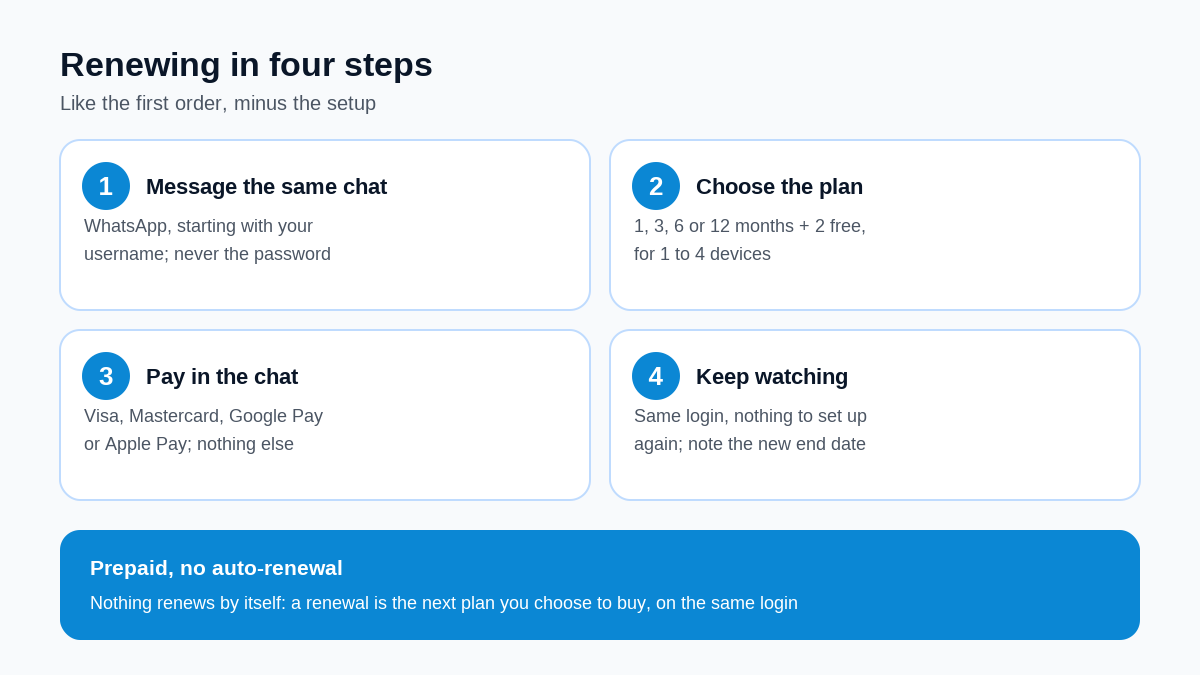
Renewing works like the first order, minus the setup:
- Message the same WhatsApp chat. Use the number on our page listing our support numbers, and start with your username so support finds your line. Never send your password.
- Choose the plan. Say which length you want and how many devices, from 1 to 4 devices.
- Pay in the chat. Visa, Mastercard, Google Pay or Apple Pay; no other method is taken.
- Keep watching. The login on your TV stays the same, so you do not set anything up again. Ask support to confirm the new end date and note it down.
Choosing a plan length when you renew
The prices below are for one device. The same lengths come for 1 to 4 devices, with the price for each device count on the Apollo Group TV plans and pricing page.
| Plan | Price, one device | Months of service |
|---|---|---|
| 1 Month | $19.99 | 1 |
| 3 Months | $29.99 | 3 |
| 6 Months | $39.99 | 6 |
| 12 Months + 2 FREE | $69.99 | 14 |
The price shown is the full price, with no hidden fees. The longer the plan, the less each month costs, and the 12-month plan streams for 14 months. The trade-off is that more is paid up front; if you are unsure how long you will want the service, a shorter plan is the low-risk renewal.
Watching on more TVs than before? Pick the new device count at renewal. Changing the number of devices in the middle of a term is a question for support, because it is not set out in our published terms.
Paying for a renewal
Renewals are paid the same way as the first plan: in the WhatsApp chat, by Visa, Mastercard, Google Pay or Apple Pay. There is no checkout on this website and no web account page, so the chat is the only place a renewal happens. The guide to paying for Apollo Group TV covers each method and how to keep a card payment safe.
One check is worth repeating at every renewal: make sure you are paying the number on our contact page. Look-alike chats and sites use similar names, and a request to pay from a number you do not recognize is a reason to stop and check.
Renewing before or after your plan ends
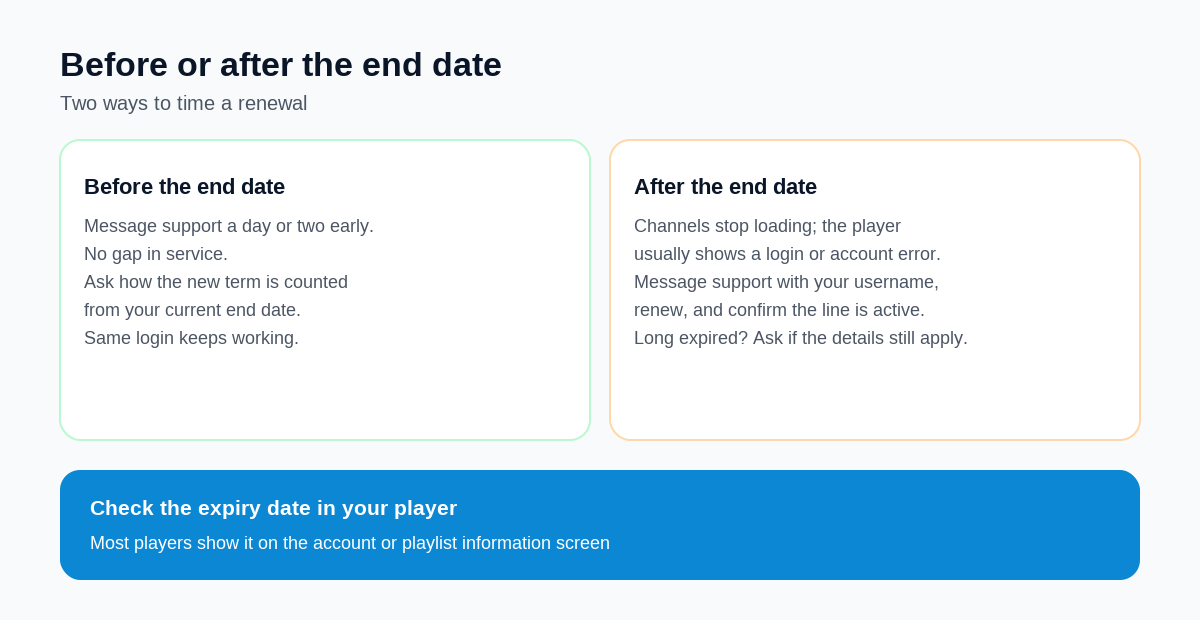
Most players show the line's expiry date on the account or playlist information screen, so check it a few days before the end. You have two ways to time a renewal:
- Before it ends. Message support a day or two early and there is no gap in service. Ask how the new term is counted from your current end date when you renew, so you know your next date.
- After it ends. The player stops loading channels and usually shows a login or account error. Nothing is lost on your side: message support with your username, renew, and ask them to confirm your line is active again. If the line has been expired for a while, ask whether the same details still apply before you change anything on your TV.
If a login error appears and you are not sure whether the plan has run out, our guide to Apollo Group TV faults tells an expired plan apart from a device or network problem in a few minutes.
After you renew: getting the channels back
Because the login stays the same, there is nothing to delete or reinstall. Leave the playlist or user profile in your player exactly as it is; removing it only means typing the server URL, username and password in again.
If you renewed after the plan had ended and the channels do not come back on their own, close the player app fully and open it again, then refresh or reload the playlist so it downloads the list and guide again. Do that on each device that uses the line.
Still nothing? Message the same chat with your username, the device and app, and what the screen shows. If the player says connection timeout rather than a login error, the connection timeout fixes are the place to start, because that message points at the network rather than the account.
From the free trial to your first plan
The first renewal many people make is from the trial. After the free 24-hour trial, paying reactivates the same login, so the player already set up keeps working. If you are still deciding, the Apollo Group TV free trial page explains what the trial includes; there is one trial per customer.
Refunds and renewals
Your first plan has a 7-day money-back guarantee: if a service problem you report on WhatsApp within 7 days of payment cannot be fixed, you get a full refund. That guarantee covers the first purchase only, so a renewal is not covered. Read the refund policy before you pay if that matters to you.
The practical answer is the plan length. If you have had problems recently, renew for one month first and go longer once you are happy, or talk to support before you pay: the customer service guide lists what to send so a fault gets fixed on the first reply.
Renewal questions, answered
How do I renew Apollo Group TV?
Message support on WhatsApp from the number you used before, give your username, choose the plan length and number of devices, and pay in the chat. Your existing login keeps working, so there is nothing to re-enter on your TV.
Do I get a new login when I renew?
No. You renew on the same login, so the player you already set up keeps working. If support ever sends you new details, enter them on every device and app that used the old ones.
Does Apollo Group TV renew automatically?
No contract. Every plan is prepaid for a fixed term and nothing renews by itself; when it ends you renew on WhatsApp and keep the same login. To cancel, simply do not renew.
Where to go next
For how the service works as a whole, read the Apollo Group TV review. For what you get with each length, see IPTV subscription plans. WhatsApp support answers 24/7, so a renewal can be sent whenever suits you.
Updated
Before you buy
What to know about Apollo Group TV
- Prepaid, no auto-renewalYou renew only when you choose to. Nothing is charged automatically.
- Support 24/7Every day, day and night. A person answers on WhatsApp, before and after you buy.
- Familiar ways to payVisa, Mastercard, Google Pay or Apple Pay.
- Terms in writingSee when a refund applies and what the terms cover before you buy.
Try it before you pay
A free 24-hour trial lets you test the service before paying anything.
Start Free 24hr TrialOpens WhatsApp · a person replies 24/7
Plans from $19.99/month. See what each plan costs →