
What ‘local channels’ means in the US
A local channel is a broadcast station licensed to serve your area. Most are network affiliates: stations that air a national network's schedule alongside their own local news, weather and community programming. The rest are independent stations and public television.
Which stations you get depends on where you live. The US is divided into TV markets, often called designated market areas or DMAs, and each market has its own stations. Two towns an hour apart can sit in different markets with different local news, and the same network appears in every market under a different station. So “local channels” is never one lineup: yours and a relative's in another state differ even when the networks match.
Why IPTV local listings are hit and miss
An IPTV subscription might list your city's stations, but you cannot assume it will. A channel list is built from whatever streams a service has, and with every market carrying its own stations, a list can include some cities and not others. The streams on offer can also change over time.
A familiar network name in a list does not tell you which city the station is in, either. Check the station's call sign or the city in the channel name, and check that its guide shows your area's news, not another market's.
Our own answer is the plain one: we will not promise that our channel list carries your market, and Apollo Group TV does not hold broadcast rights to any league, event, network or tournament. If local news and weather matter to you, plan on an antenna for them. For how the law treats IPTV services, read our guide to IPTV and the law.
Check which stations reach your address
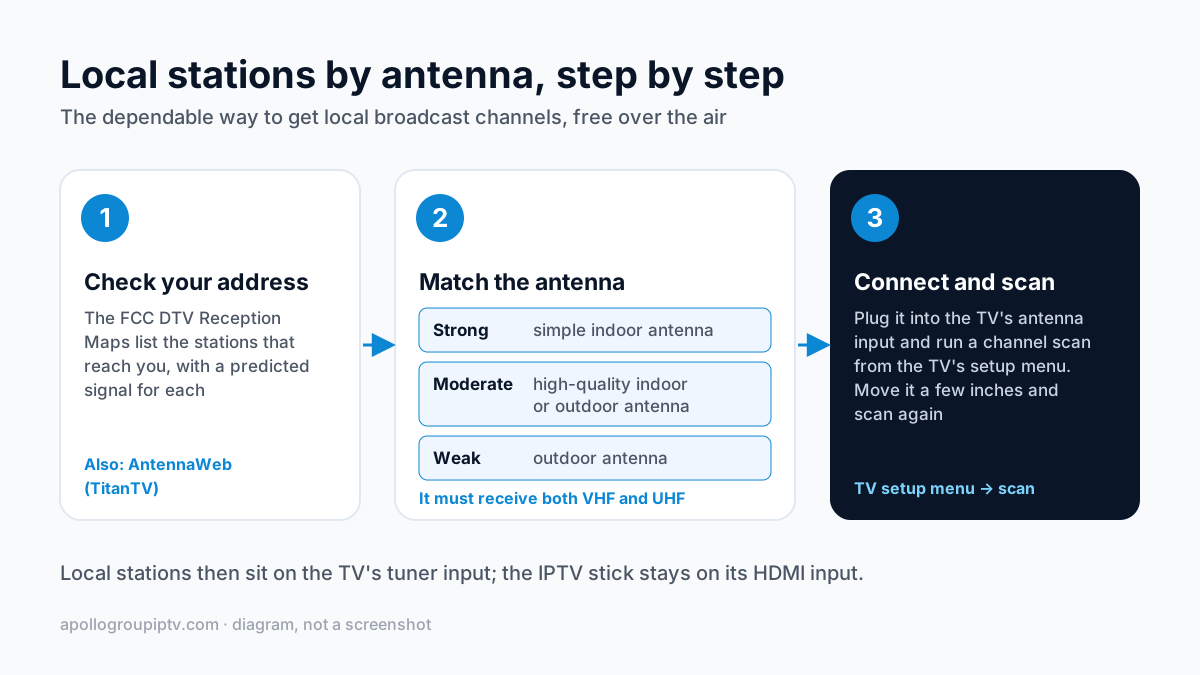
The FCC's free DTV Reception Maps tell you which over-the-air stations reach your address. Enter your street address or city and state, and the map lists the stations in your area with a predicted signal strength for each.
Read the results with two caveats from the FCC. The signal calculations assume an outdoor antenna 30 feet above ground, so reception with an indoor antenna can be noticeably weaker. Real signal also varies with building construction, nearby buildings and trees, weather and hilly terrain.
AntennaWeb, a free service from TitanTV, does a similar job and suggests an antenna type. Stations also move to new frequencies from time to time: the channel number you select stays the same, but your TV has to rescan to find the station again.
Antenna basics: indoor, outdoor and rescanning
The antenna you need depends on how strong the signal is at your address, which is what the FCC map predicts. The FCC's antenna guide matches the signal to the antenna like this.
| Signal at your address | FCC guidance |
|---|---|
| Strong | A simple indoor antenna may be enough. |
| Moderate | A high-quality indoor antenna or an outdoor antenna may be appropriate. |
| Weak | An outdoor antenna is appropriate; AntennaWeb suggests the type. |
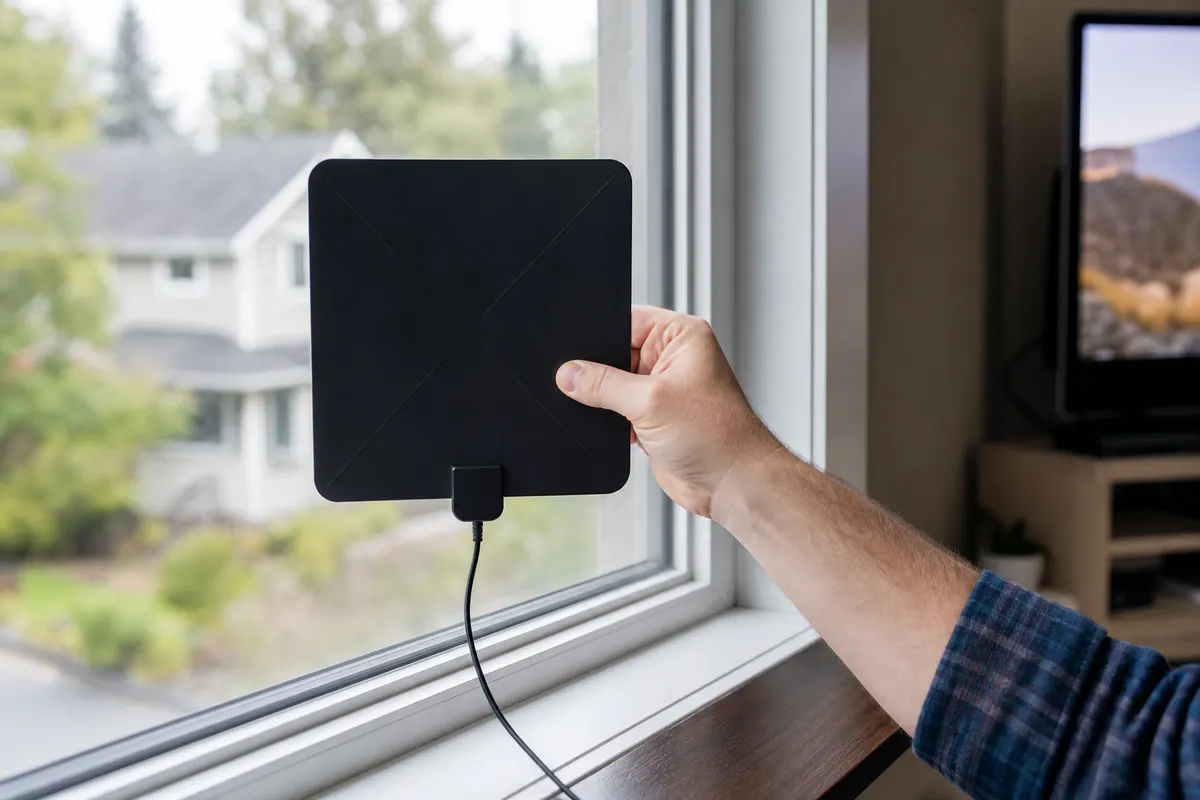
- Get both bands.The antenna must receive VHF (channels 2 to 13) and UHF (channels 14 to 36). The FCC warns that many antennas sold as “HDTV antennas” work best on UHF and less well on VHF.
- Indoor or outdoor. Outdoor antennas generally get better reception and are what the FCC recommends for the most reliable picture. Consumer Reports found indoor antennas cost about $15 to $100, with little link between price and performance.
- Scan, move, scan again.Connect the antenna, then run a channel scan from the TV's setup menu. Moving the antenna even a few inches can improve reception, and you rescan after each move. Rescan every so often as well, so the TV keeps the current lineup.
One TV, two sources: antenna plus IPTV
An antenna and an IPTV app share a TV without any extra equipment. The antenna connects to the TV's antenna input and uses the TV's built-in tuner; the streaming stick or box plugs into an HDMI port. You move between them with the TV's Input or Source button.
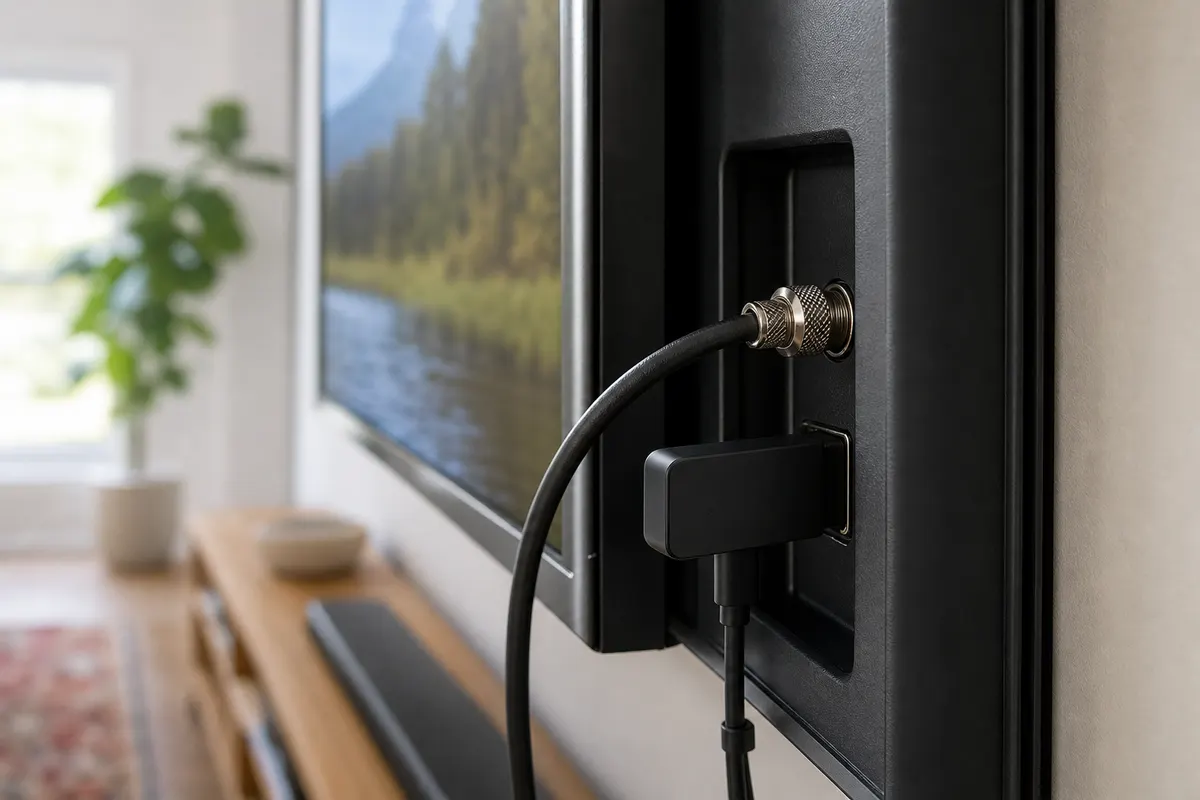
Run the antenna scan once from the TV's own menu, not from the streaming stick, because the stick cannot see the antenna. After that, local stations live on the TV's tuner input and everything else lives on the HDMI input, including the guide in your IPTV player.
The split has a practical upside: antenna channels use none of your internet connection. Local news keeps playing during an internet outage, and a household streaming on several screens has one less stream competing for bandwidth.
Antenna → antenna input
The TV's own tuner. Local stations, no internet needed.
Streaming stick → HDMI port
The IPTV player app. Everything else, over your internet connection.
What each route costs
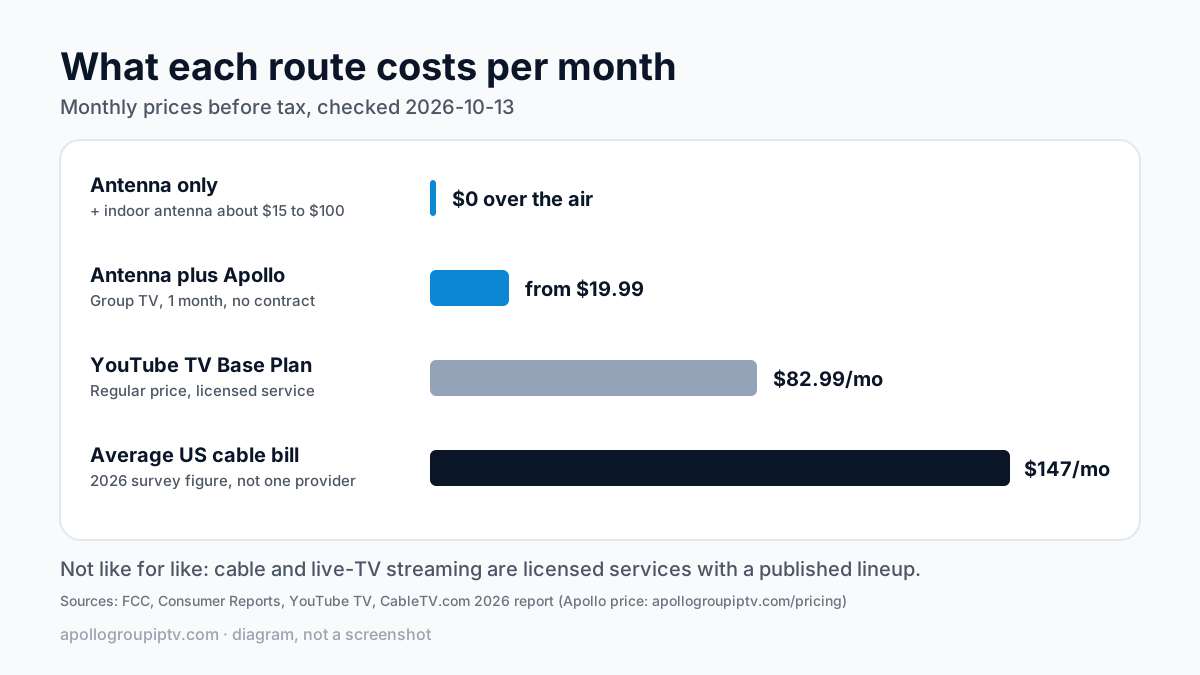
On monthly price alone, an antenna plus a subscription costs less than the figures for cable and live-TV streaming below. The rows are not like for like, though: cable and live-TV streaming are licensed services with a published lineup, and the full trade-offs are in IPTV vs cable TV in the US. Prices were checked on 2026-10-13 and are before tax.
| Route | Monthly | Up front | What you get |
|---|---|---|---|
| Antenna only | $0 for over-the-air stations | Indoor antenna, about $15 to $100 | Local broadcast stations that reach your address, nothing else. |
| Antenna plus Apollo Group TV | From $19.99 for one month, no contract | Indoor antenna, about $15 to $100 | Local stations by antenna; the subscription for everything else. |
| Average US cable TV bill | $147/mo | Varies by provider | A 2026 survey figure, not one provider's price. |
| YouTube TV Base Plan | $82.99/mo | None | A licensed live-TV streaming service; regular price before tax. |
For what IPTV plans cost across plan lengths and devices, see what an IPTV subscription costs in the US.
Checking your local stations before you pay
Use a trial to search the channel list for your city's stations before you choose a plan. With Apollo Group TV you can try free for 24 hours — no credit card required.
- Search by your city's name and by the call signs the FCC map listed for your address.
- Open each one at the time you would watch the local news, and check the picture holds.
- Check that the guide shows your area's programs, not another market's.
- If your stations are not there, an antenna covers them and the trial has told you so for free.
Where to go next
New to the technology? Start with what IPTV is and how it works. For a US-focused look at how services compare, read the guide to IPTV in the USA.
When you are ready, plans start at $19.99 a month with no contract on the Apollo Group TV price list.
Sources
Read on 15 October 2026 unless a date is shown. Prices from the sources marked secondary come from dated third-party reporting rather than the provider's own page.
- FCC, DTV Reception Maps
- FCC, Antennas and Digital Television
- AntennaWeb (TitanTV)
- YouTube TV welcome page (checked 2026-10-13)
- StreamingMediaBlog (Dan Rayburn): Hulu + Live TV now $99.99 (2026-09-26), secondary
- CableTV.com 2026 Cable & Streaming Industry Report (2026-02-23), secondary
- FCC: Television Broadcast Stations on Satellite (undated FCC guide (accessed via search 2026-10-13))
- FCC consumer guide: Antennas and Digital Television (PDF) (undated)
- Consumer Reports: Best Indoor TV Antennas (updated 2025-11-18), secondary
Updated
Ready to start streaming?
55,000+ channels · 4K UHD · Free 24hr trial — no credit card
Plans from $19.99/month. Compare every plan and price →