
55,000+
Live Channels
7 days
WhatsApp Support
Quick
Activation
$0
Free Trial Cost
Pricing
Start Your IPTV Free Trial — $0 for 24 Hours
Full access, zero cost. Upgrade to any paid plan after your Apollo Group TV free trial — no obligation.
IPTV Free Trial
Full access · No credit card · No auto-charge
- 55,000+ Channels
- Full HD, and 4K where the source allows
- 180,000+ VOD titles
- Electronic Program Guide (EPG)
- 7-Day Catch-Up TV
- Live sports and national networks
- Firestick, smart TVs, phones and computers
- WhatsApp support 7 days a week
Activated via WhatsApp, usually within minutes
After your IPTV free trial — choose a plan:
All plans include every feature · No contract · Cancel anytime · WhatsApp activation, usually within minutes
What the Apollo Group TV Free Trial Includes
A useful IPTV free trial lets you test the paid experience itself: the channels you actually watch, on the devices you actually use, at the times you usually watch. A trial that locks channels or caps quality does not tell you much about what you would be paying for.
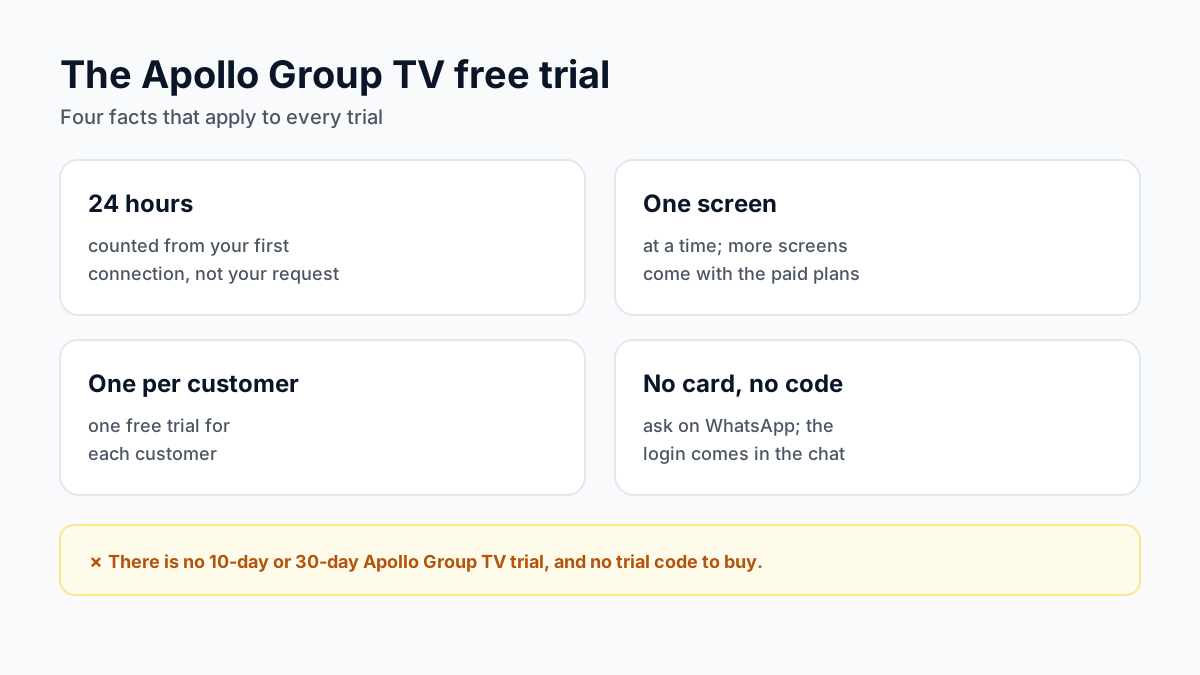
The Apollo Group TV free trial is 24 hours of the full paid service at $0: 55,000+ live channels, 180,000+ VOD titles, live sports categories, the TV guide, 7-day catch-up on supported channels, and 4K where the source allows. Credentials arrive via WhatsApp, usually within minutes. No credit card, so nothing is billed when it ends.
Three rules apply. The 24 hours are counted from your first connection, not from when you ask. The trial runs on one screen at a time; more screens come with the paid plans. And there is one free trial per customer.
How to Get Your IPTV Free Trial in 2026 — 3 Steps
Message Us on WhatsApp
Tap the button below to send a WhatsApp message requesting your IPTV free trial. WhatsApp support runs 7 days a week.
Receive Your Trial Credentials
Within 5–15 minutes you'll receive your Server URL, Username, and Password on WhatsApp — ready to stream immediately.
Install on Your Device & Stream
Sign in on the device you installed the player on. The 24 hours are counted from your first connection, on one screen at a time.
Which App Should You Install Before Starting the Trial?
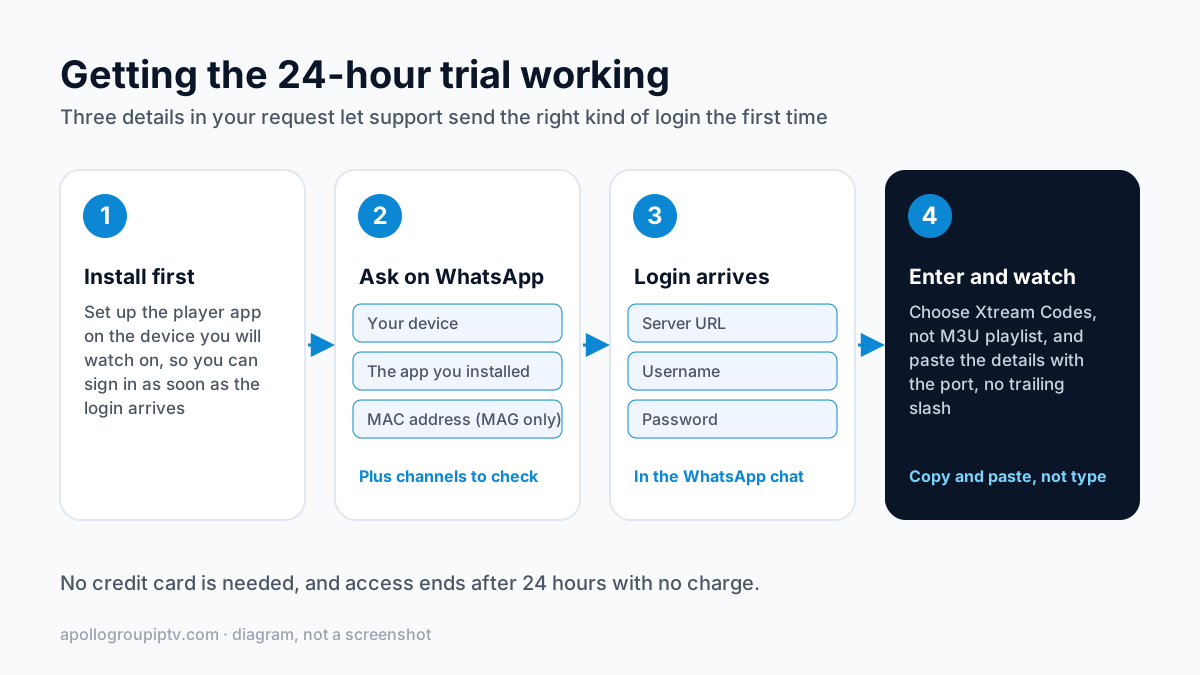
Install the player first, so you can sign in as soon as the login arrives; the 24 hours are counted from your first connection. The right app depends on the device you will watch on; each guide below walks through the install and where to type the login.
| Your device | What the login looks like | Setup guide |
|---|---|---|
| Amazon Firestick | Server URL, username, password | Firestick setup |
| Samsung Smart TV | Server URL, username, password; some apps use the TV's MAC address or device key instead | Samsung TV setup |
| LG Smart TV | Server URL, username, password | LG TV setup |
| iPhone and iPad | Server URL, username, password | iPhone setup |
| MAG box | A portal URL linked to the box's MAC address | MAG box setup |
| Roku | No IPTV app; screen mirroring from a phone only | Roku options |
What Should You Put in Your Trial Request?
Three details let support send the right kind of login the first time: the device you will watch on, the app you installed, and, for a MAG box, the MAC address printed on the label underneath it. A MAG portal is tied to that address, so without it the trial cannot be set up.
Mention any channels or events you most want to check. That way you know where to look first, and anything missing can be raised while the trial is still running rather than after you pay.
What If the Trial Login Does Not Work?
Nearly every failed trial login is a typing problem rather than a dead account. Check these before you message support.
- Copy and paste the details from WhatsApp instead of typing them; a lower-case l and the number 1 look the same on a TV keyboard.
- Enter the server URL exactly as sent, including the port after the colon, and without a trailing slash.
- Make sure you chose the Xtream Codes login type in the app, not M3U playlist.
- If the app says the login worked but no channels appear, give the first load a minute, then force-close and reopen the app.
Still stuck? The Xtream Codes login walkthrough shows each field app by app, and the guide to IPTV channels that will not load explains each error message. If neither helps, reply to the WhatsApp message your login came in.
Start Your IPTV Free Trial Now
Message us on WhatsApp and your IPTV free trial credentials arrive within 5–15 minutes. No credit card, and nothing is billed when the 24 hours end.
Get My IPTV Free Trial$0 · 24-hour full access · No credit card · Fast activation
Why Test Apollo Group TV With a Free Trial
A trial is only useful if it shows you what you would be paying for. The Apollo TV free trial on the Apollo Group TV streaming service is the full paid service for 24 hours: the 55,000+ live channels, 4K UHD where the source allows, the on-demand library, the TV guide and 7-day catch-up on supported channels.
Because the clock starts at your first connection, not at your request, none of the 24 hours goes to waiting for the login. Use them at the times you usually watch, including an evening.
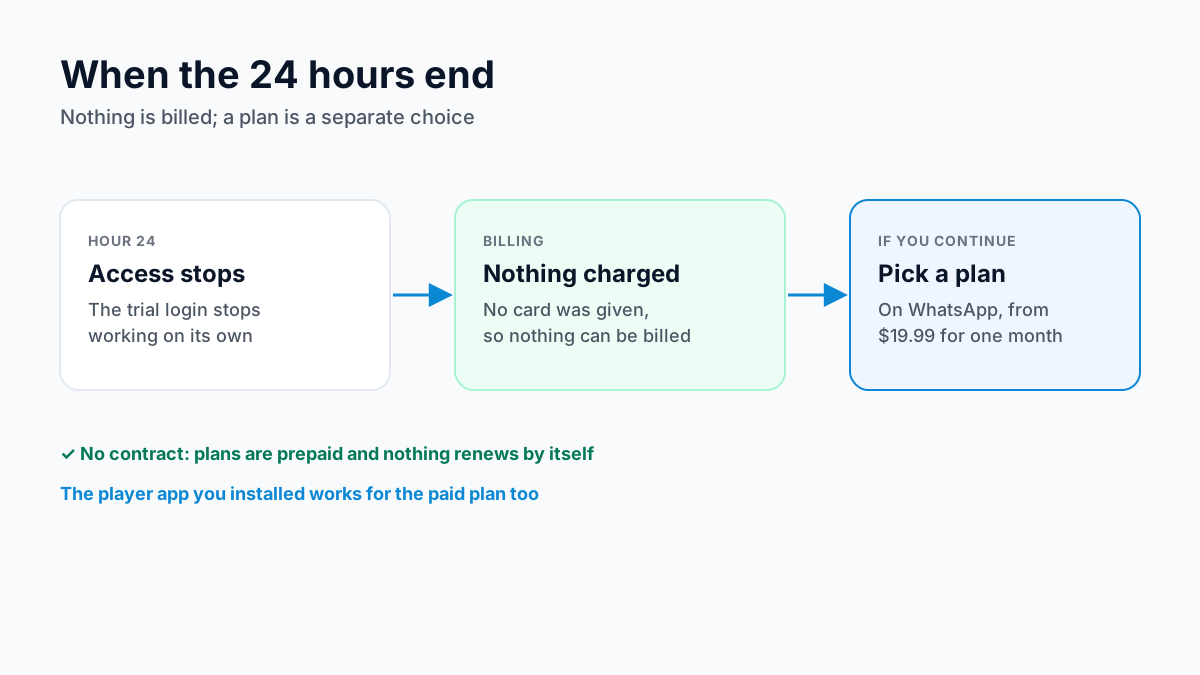
After your IPTV free trial, the Apollo Group TV IPTV subscription starts from just $19.99/month — no contract, no cancellation fee, activation over WhatsApp, usually within minutes. See our full pricing page before you decide.
IPTV Free Trial 2026 — Frequently Asked Questions
What does the Apollo Group TV free trial include?
The Apollo Group TV free trial is 24 hours at $0 with no credit card: full access to the 55,000+ live channels, 4K UHD where the source allows, live sports, and activation over WhatsApp, usually within minutes.
Is the IPTV free trial really free — no hidden charges?
Yes. The IPTV free trial is completely free. No credit card is required and there are no charges unless you choose a paid plan after your 24 hours.
How quickly is the IPTV free trial activated?
Trial credentials arrive on WhatsApp within 5–15 minutes of your request. WhatsApp support runs 7 days a week; hours are on the contact page.
Does the IPTV free trial include live sports?
Yes. The free trial gives you the same live sports access paying subscribers get, so you can check the channels and events you care about before choosing a plan.
Is there a 10-day or 30-day Apollo Group TV free trial?
No. The Apollo Group TV free trial is 24 hours, counted from your first connection, on one screen at a time, and there is one free trial per customer. Offers of a 10-day or 30-day Apollo trial elsewhere are not from us.
Do I need an Apollo Group TV free trial code?
No. There is no trial code or promo code to find: you ask for the trial on WhatsApp and the login is sent to you in the same chat. A site selling or sharing "Apollo Group TV free trial codes" is not us.
What happens after my 24-hour IPTV free trial ends?
Your access ends automatically with no charge. If you want to continue, plans start from $19.99/month — no contract, fast activation.
Which devices work with the IPTV free trial?
Any device that runs an IPTV player: Android TV and Google TV boxes, Fire OS Firesticks, Samsung and LG smart TVs, iPhone, iPad, Android phones, Windows PCs and Macs. Vega OS Fire TV sticks (4K 3rd Gen, 4K Select, HD) cannot install a player, and a Roku can only mirror a phone. For a MAG box, ask on WhatsApp before you start the trial.
Missed the FIFA World Cup 2026? Our World Cup 2026 guide covers who held the US rights and where licensed replays stream now.
Want the full picture? Read our complete IPTV Free Trial 2026 guide — everything you need to know before signing up.
Updated
Before you buy
What to know about Apollo Group TV
- Prepaid, no auto-renewalYou renew only when you choose to. Nothing is charged automatically.
- Support 24/7Every day, day and night. A person answers on WhatsApp, before and after you buy.
- Familiar ways to payVisa, Mastercard, Google Pay or Apple Pay.
- Terms in writingRead the refund policy and terms before you pay.
Try it before you pay
A free 24-hour trial lets you test the service before paying anything.
Start Free 24hr TrialOpens WhatsApp · a person replies 24/7
Plans from $19.99/month. Pick a plan length on the pricing page →